DocFinder
The right quote, in seconds.
One field that searches numbers, customers, contacts, phone numbers, lines and notes of quotes and invoices, with an amount filter.
What you get
It searches where Dolibarr does not.
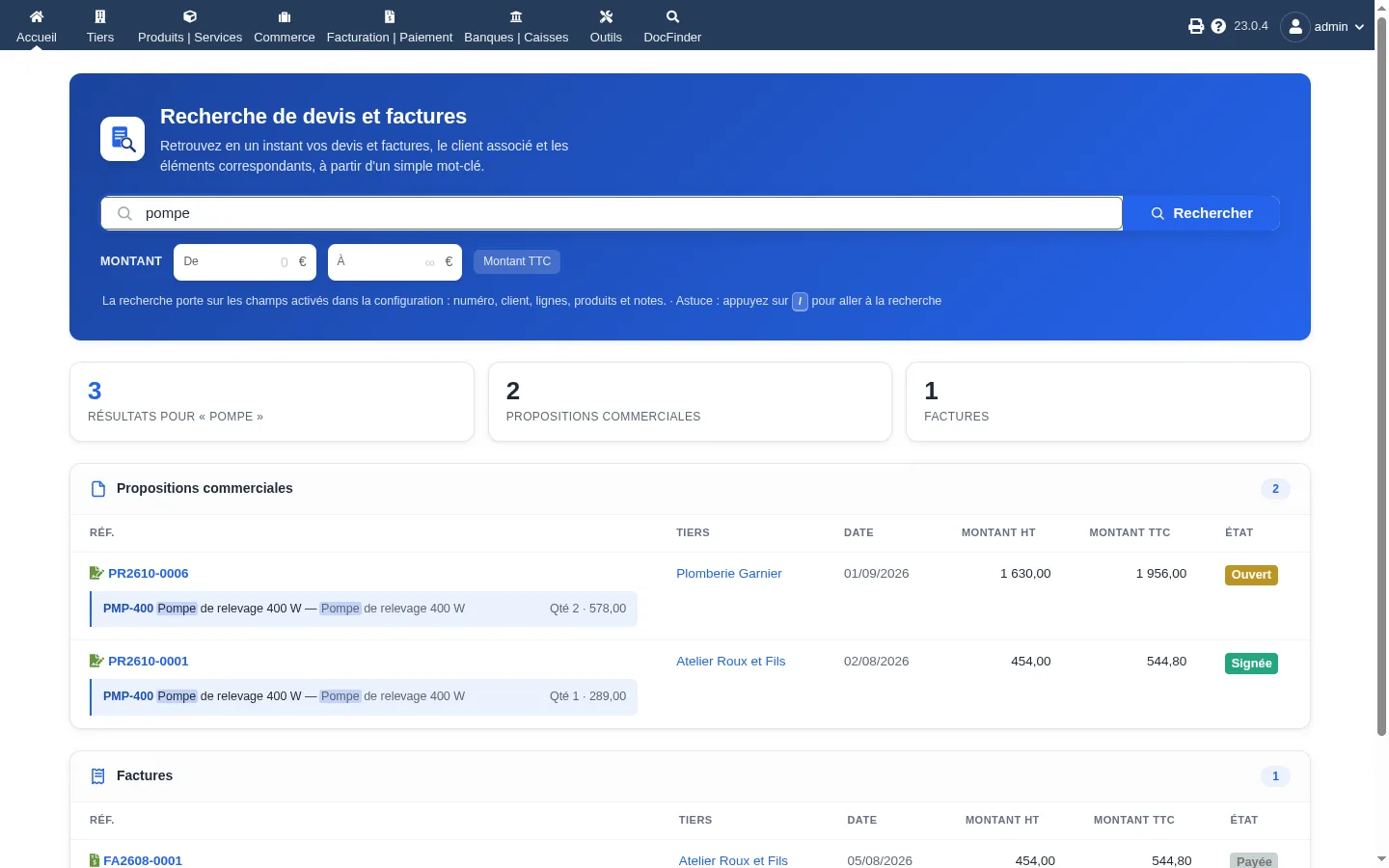
Numbers, customers, contacts, lines, products and notes of quotes and invoices, in a single field.
Type whatever you have at hand.
A phone number however it is written, an email, a contact name, several words combined.
You see why a result shows up.
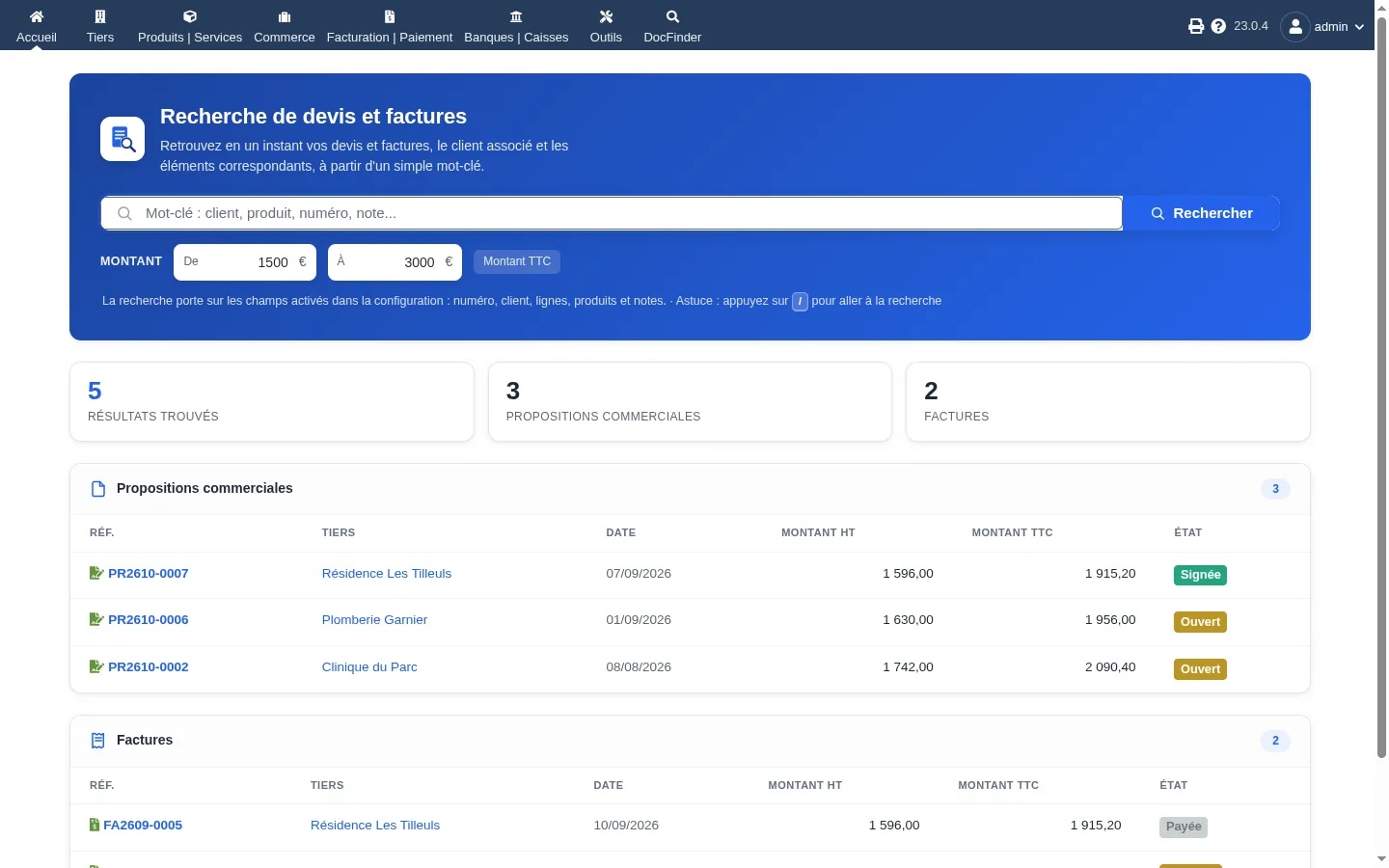
The matching line is shown under each document, keyword highlighted, with an amount filter on net or gross.
In pictures
Specifications
- Current version
- 1.8.0
- Compatible
- Dolibarr 16 to 24
- Price
- 29 € excl. VAT
- Updated
- 3 October 2026
- Languages
- French, English
- Documentation
- Dolibarr wiki
Frequent questions
Which fields does DocFinder search?
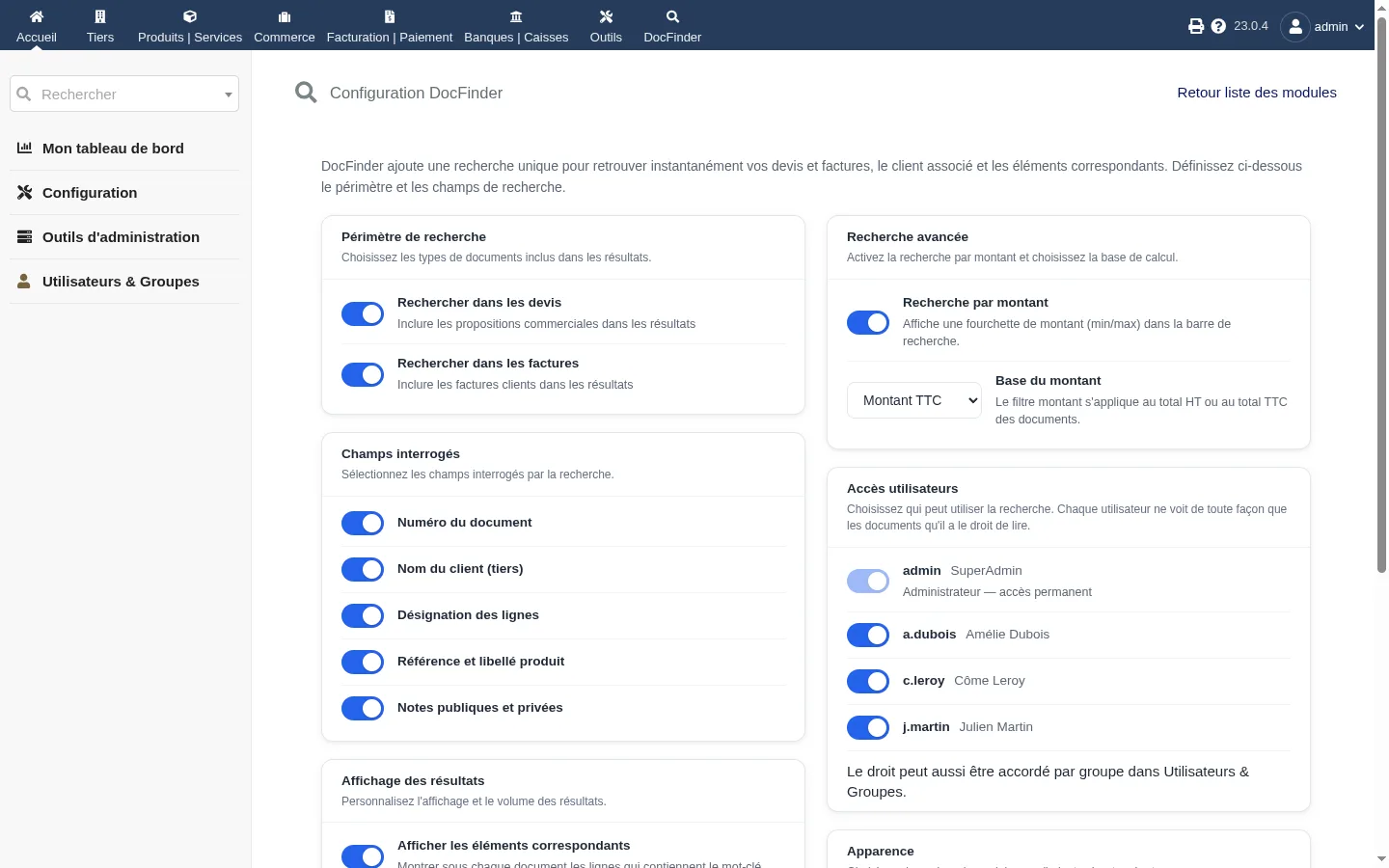
It searches the document number, the customer name, line descriptions, product reference and label, public and private notes, and the phone, email and name of contacts. Each field can be turned on or off in the settings, and so can the scope (quotes, invoices or both).
How do I find a document from a phone number?
Type the number exactly as you have it. "06 12 34 56 78", "06.12.34.56.78" or "+33 6…" give the same result. The customer's quotes and invoices are shown, with the matching contact under their name.
A user does not see DocFinder
They are missing the access permission. You can grant it from the "User access" card in the module settings, without opening each user record. Everyone then only sees the documents they are already allowed to read in Dolibarr.
Releases and notices
No notice published yet.
Get notified of new versions
One email per release and per security notice, nothing else. One-click unsubscribe.